Chat Bot Tool
The Chatbot Tool is designed specifically for chat-type agents and acts as the logic layer when integrating other tools. It ensures that your assistant can fetch relevant information from data source or trigger a form. Use this tool to fine-tune how your assistant interacts with connected tools and handles queries smoothly.Note: This tool is essential when issues arise in retrieving data from connected sources or triggering forms in chat assistants. Proper setup ensures reliable performance across integrated features.
Setup Chatbot Tool in Insighto.ai
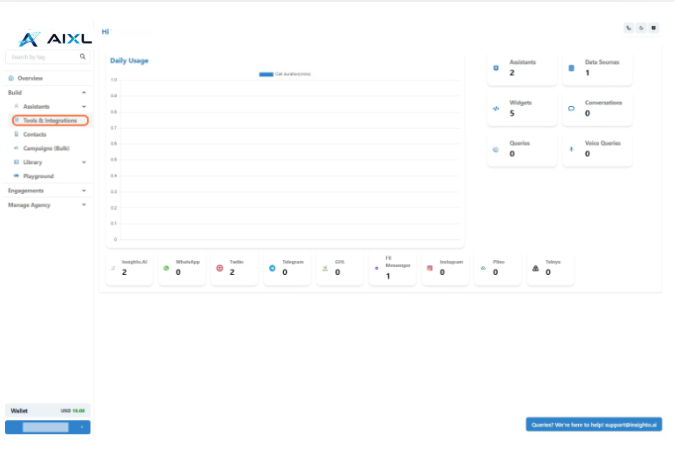
- Go to Tools & Integration
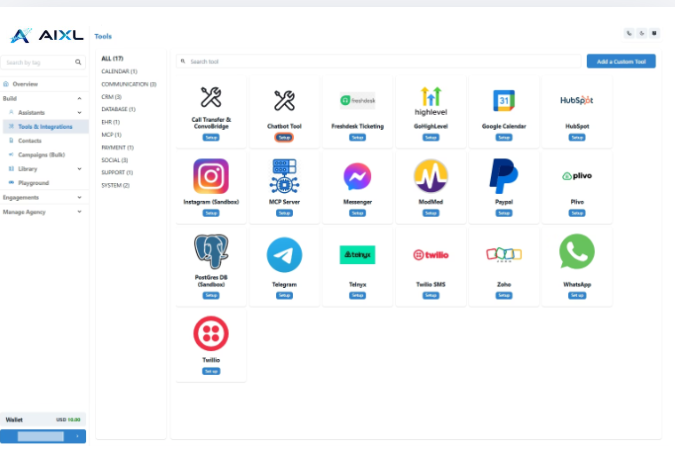
- Locate the Chatbot Tool and Click Set Up
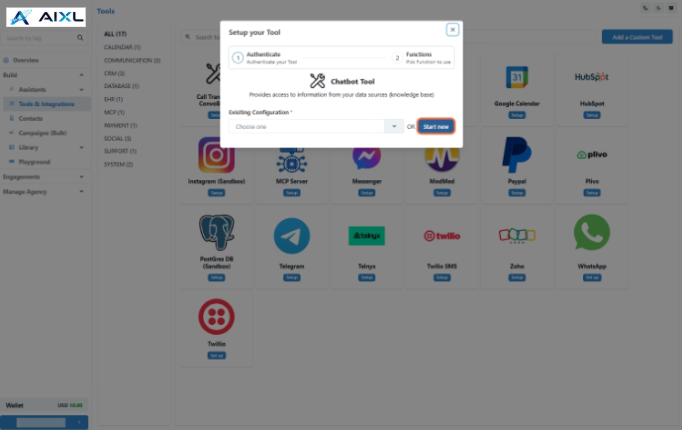
- Click on Start New
- Name Your Configuration and Click Create
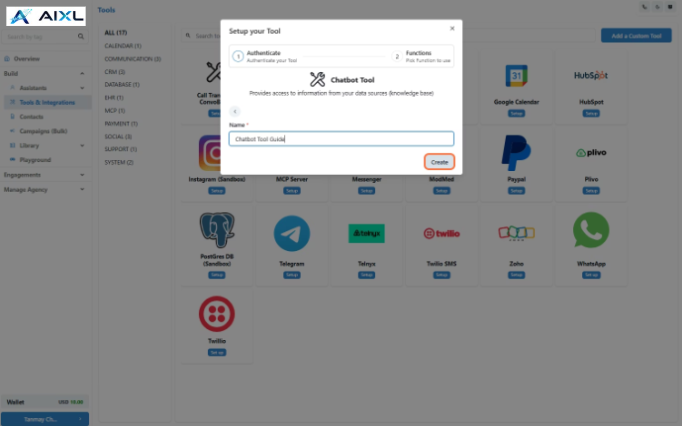
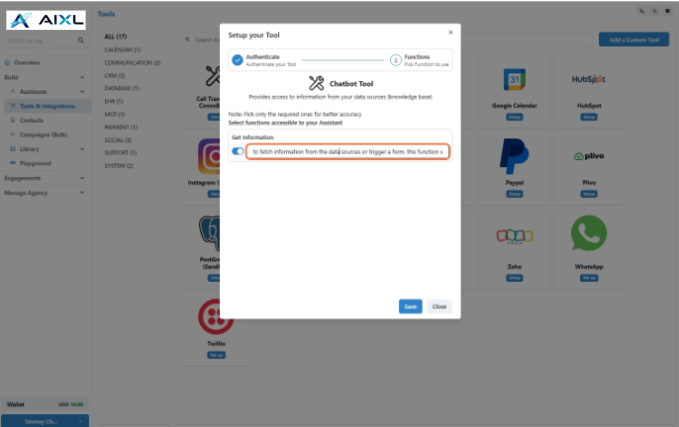
- Enable the Get Information Function
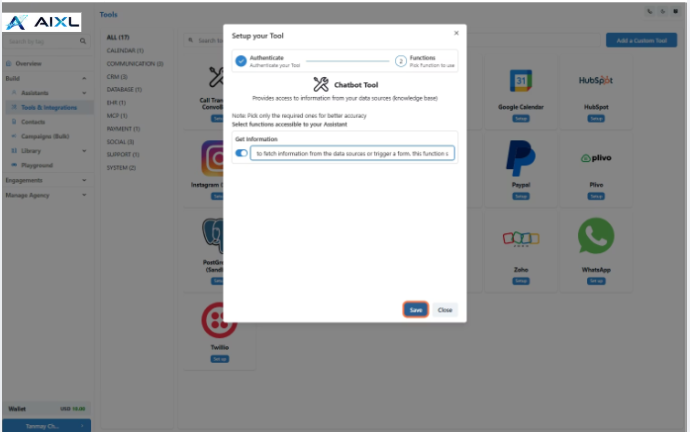
- Click Save to Complete the Tool Setup
🎉 Congratulations!
Your Chatbot Tool is now set up and ready to be used with your chat assistant.
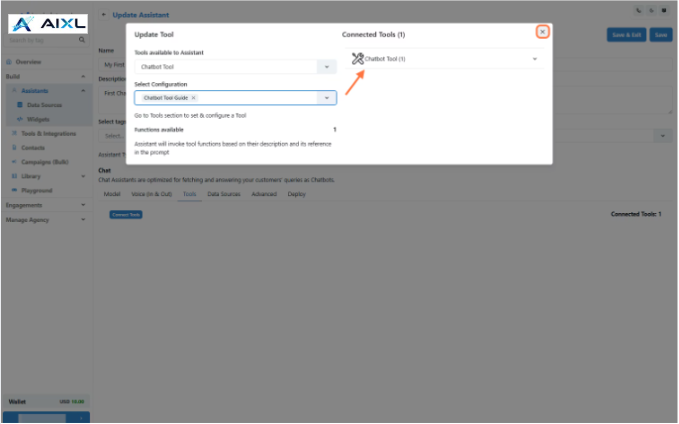
🔌 Connect Tool with Chat Assistant
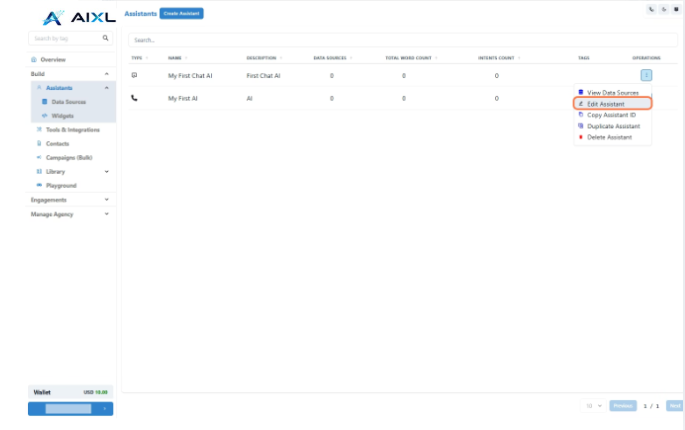
- Go to Assistants from Left panel
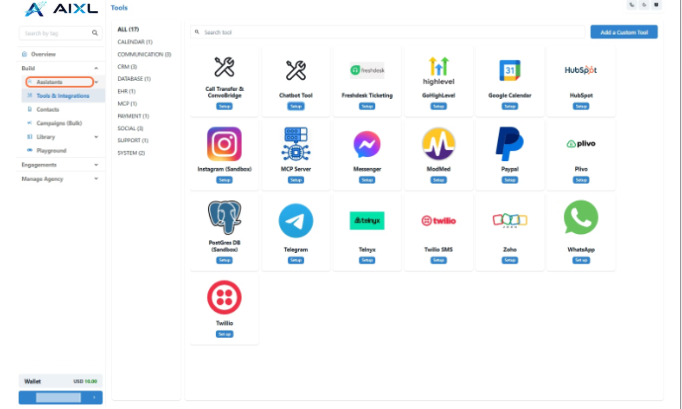
- Edit the Existing Chat Assistant
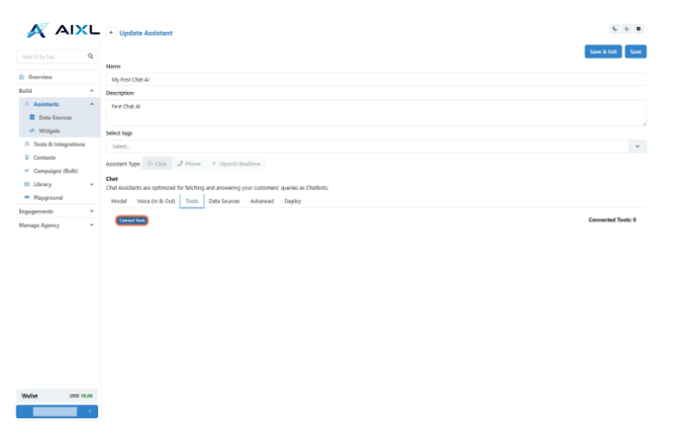
- Click on Connect Tools
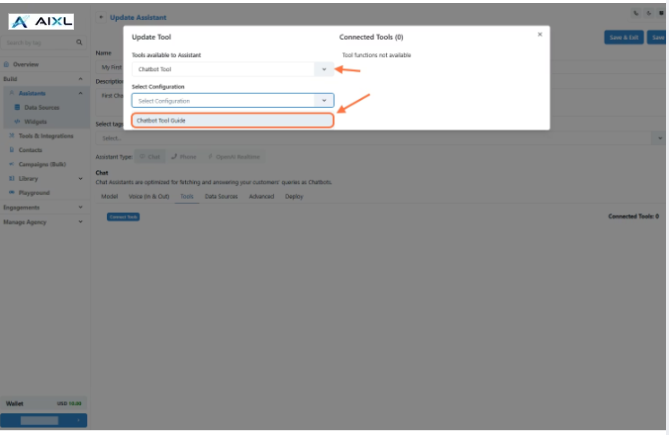
- Select Tool Type and Configuration from the Dropdown
- Confirm the Chatbot Tool Connection and Save Changes